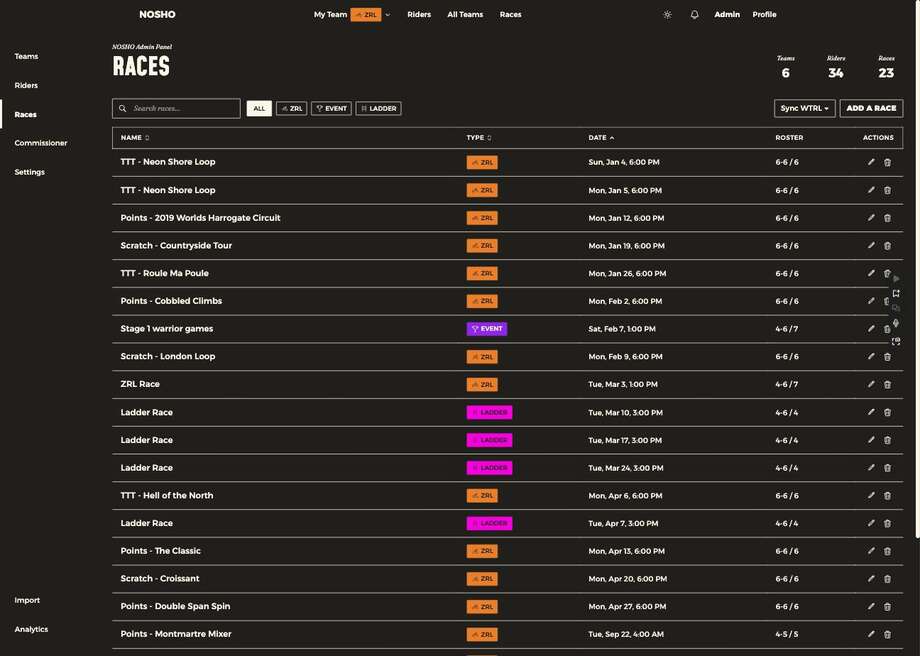
Admin → Races lists your club's races by day, with a small calendar beside it. Page month by month, jump back with Today, or switch to Upcoming. Search covers every date.
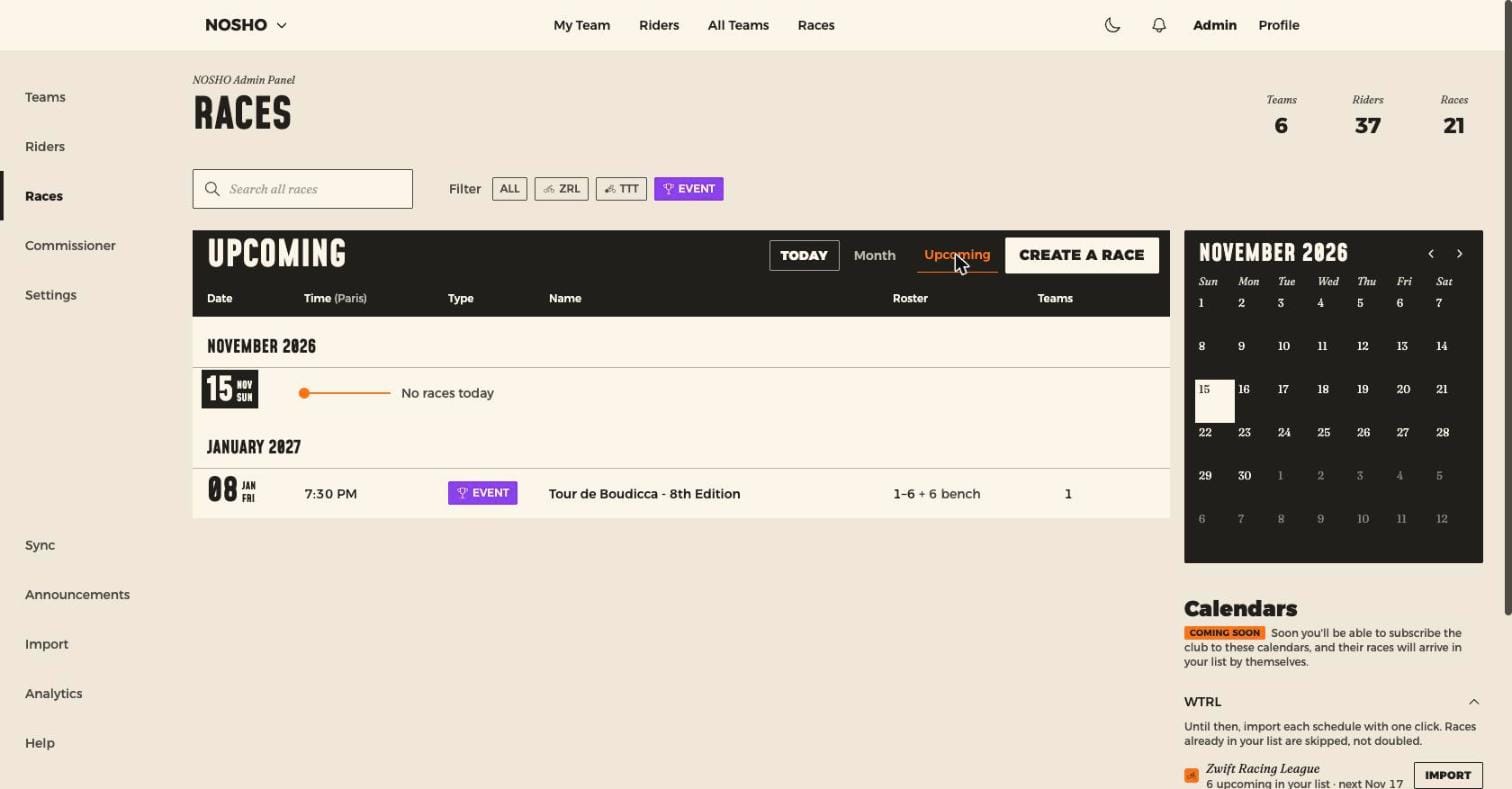
The Roster column reads min–max starters plus bench — for example 2–5 + 5 bench.
Importing from WTRL
In the Calendars panel beside the list, each WTRL schedule has an Import button. Races already in your list are skipped, not doubled. Nothing runs automatically, so import again when WTRL publishes the next round.
| Competition | Squad |
|---|---|
| ZRL | 5 starters + 5 bench, minimum 2 |
| TTT | 8 starters + 4 bench, minimum 6 |
Creating a ZRL or TTT race by hand asks for the day only — each team races at its own league time.
Roster settings
Every race carries its own, set when you create or edit it.
| Setting | What it does |
|---|---|
| Min starters | Hard block. A captain below this number can't save a line-up |
| Max starters | 1 to 100 |
| Max bench | Independent of starters |
✅ Minimum starters is a mechanism, not a validation rule
It's what turns "we're a rider short" into a blocked action, which sends a captain to borrow someone. Set it to what the competition actually requires.
⚠️ Roster size belongs to the race
Max starters plus max bench is what a captain sees as available spots. Because it's per race, capacity can change between rounds.
Stage races
Set Race Type to Event, Event Type to Stage Race, choose daily or weekly, plus start and end dates. Drafted Racing creates one stage per interval.
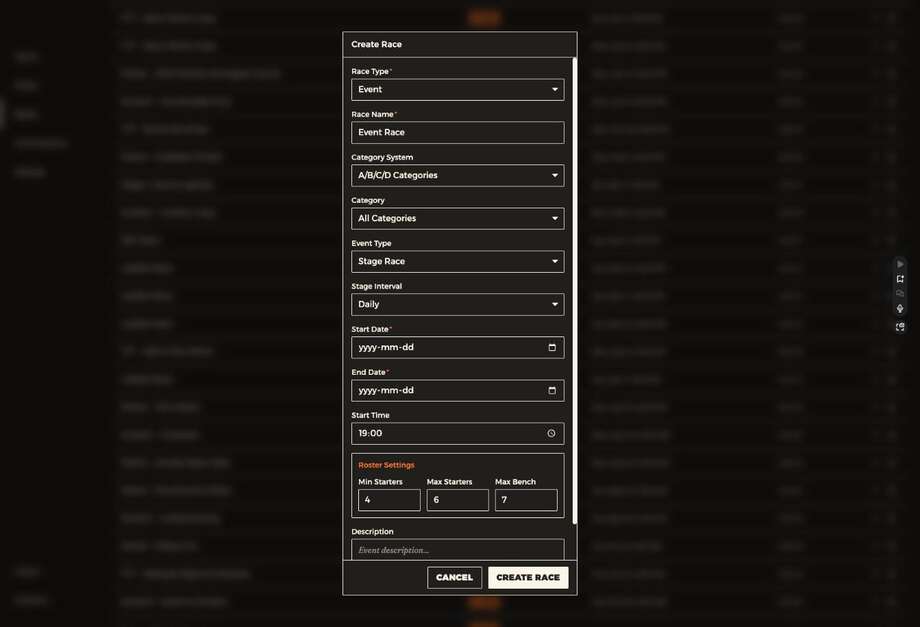
A stage race behaves like a series: editing or deleting a stage asks this race or the whole series?, and moving one stage's date moves them all.
Grading an event
Pick the system first, then narrow it down: A–D categories, vELO tiers, or Zwift Racing Score. For racing score, add your own bands — a label plus a min and max. Teams for the event pick a band, and riders scoring above it are refused.
Races from organisers
Events from the events app belong to the organiser, so you can't edit or delete them. Open one with the ⓘ on its row to see the details. See Events from organisers.
A note on division
Division is a legacy field. Teams take their race time from the ZRL League setting. Leave Division alone.