Open Races for your own racing calendar: the races of the teams you ride for, and the events you could join. It isn't the whole club's schedule — it's yours.
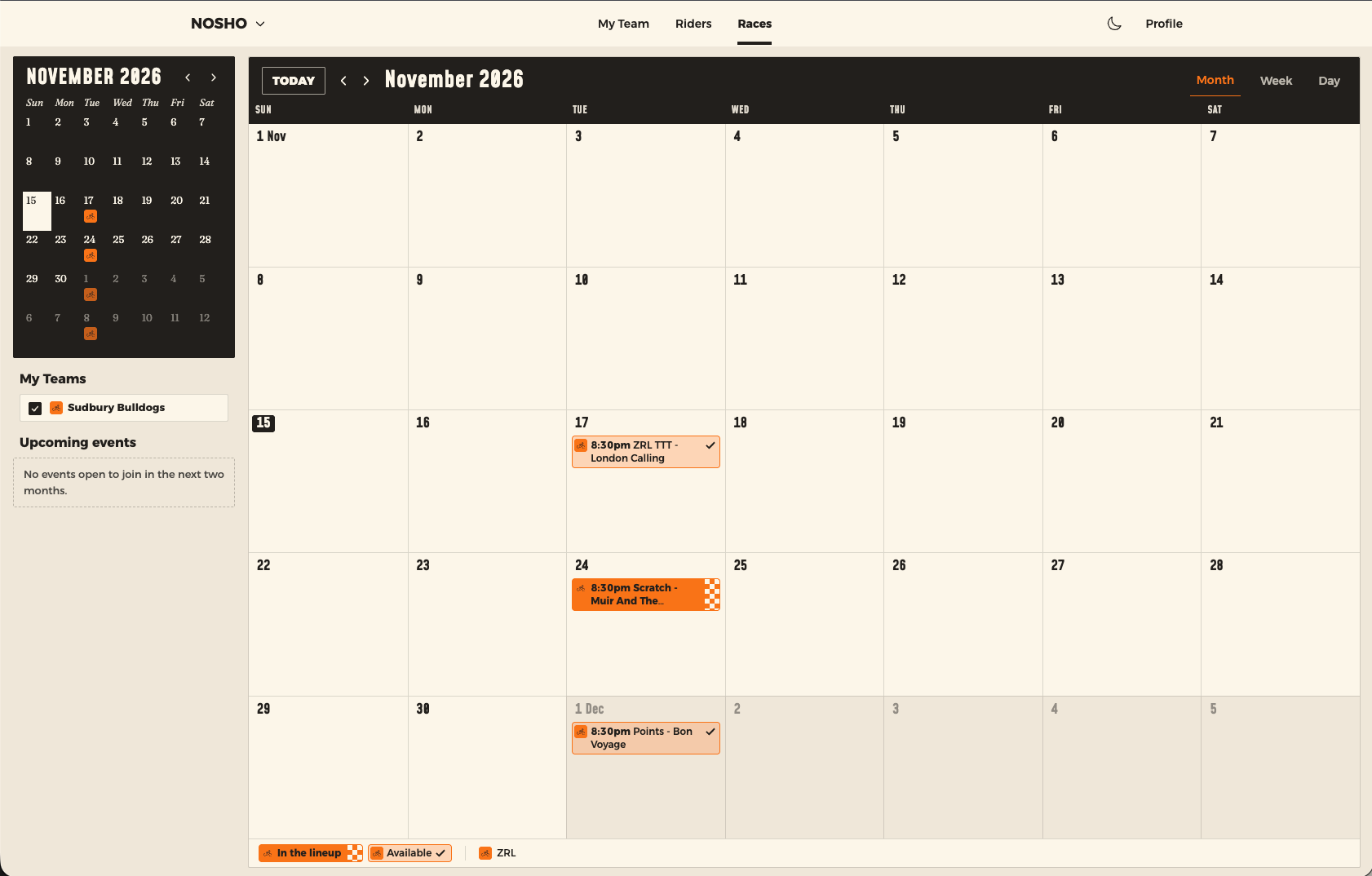
📸 01-races-month-view.jpg
Three views
| View | What it's for |
|---|---|
| Month | The shape of your month. Each race is a chip: its race-type icon, start time, title and your status |
| Week | Your week as blocks at their start time, like a calendar app |
| Day | One day in detail, with the nearest race day either side so an empty day is never a dead end |
Switch between them in the dark bar at the top. Today jumps back to now, and the arrows page forward and back.
✅ Keyboard shortcuts
T for today, J or N for next, K or P for previous.
Reading a chip
Every race shows your status as a glyph, so nothing depends on colour alone:
| You see | It means |
|---|---|
| Chequered strip down the right edge | You're in the lineup |
| Tick | You said you're available |
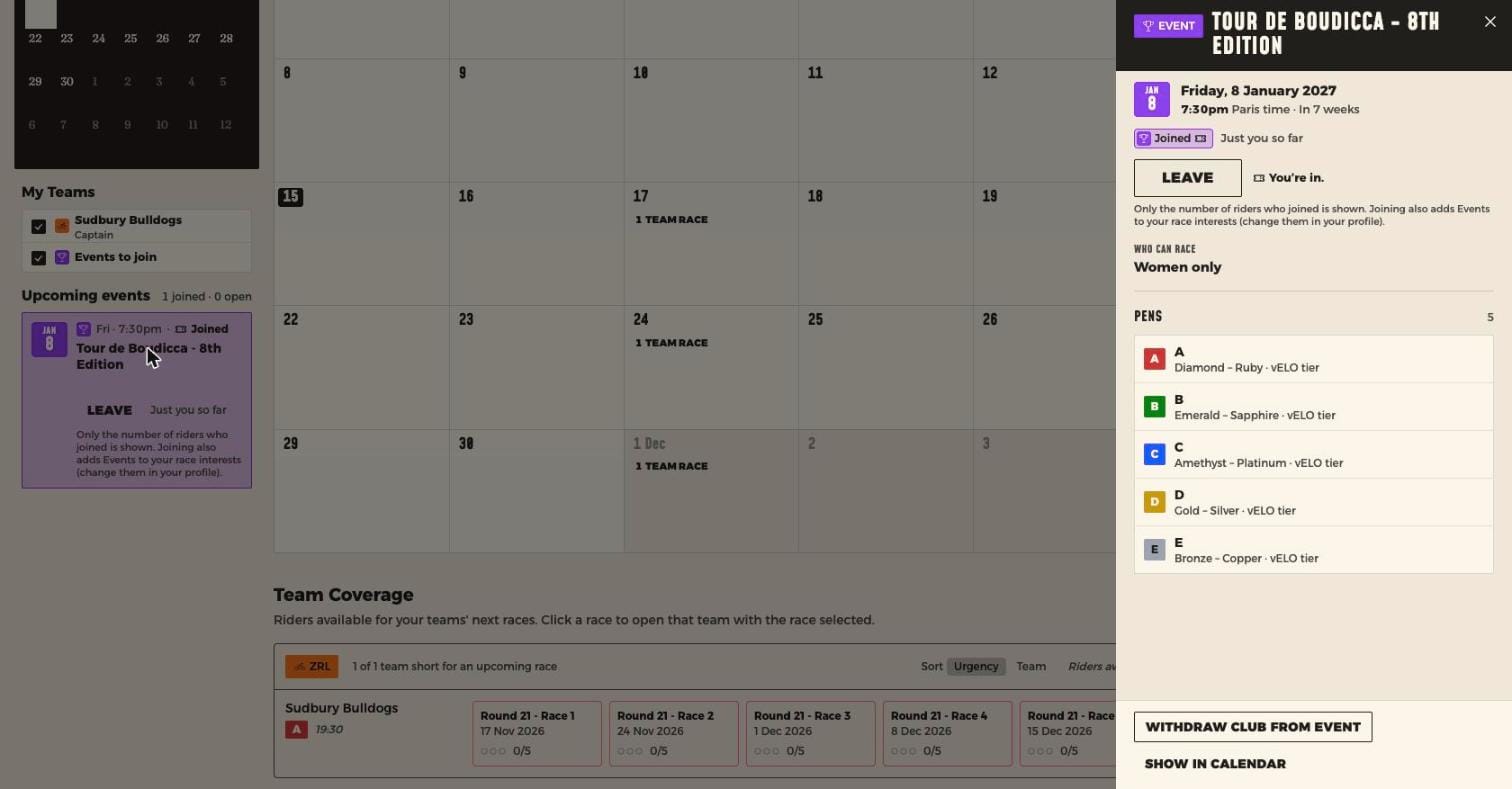
| Ticket | You joined this event |
| Question mark | You're on the team, but haven't said if you can ride |
| Plus | An event you could join |
Not sure? Click Key in the bar.
The side panel
On the left:
- A small month. Click a day to jump the calendar there.
- My Teams. Untick a team to hide its races. Only shows one team on its own; Show all undoes it.
- Upcoming events. The next two months of events you can join, with Join right on the card. See Joining an event.
Race details
Click any race to open its details: the date and time in your timezone, how soon it is, your status, the team, route and distance, and for events the Zwift registration window and pens.
About those times
Every time you see is converted into your local time, taken from your profile setting — not from your computer.
⚠️ If the times look wrong
Check your timezone setting before anything else. It's the single most common cause, and nothing else on screen will look broken.
Race times themselves come from the league your team races in, which your commissioner sets when the team is created.
On a phone
Tap a day to list its races underneath the month. The details open as a sheet from the bottom.